

Start Node & End Node
Learn how Start and End Nodes in Giselle define the boundaries of your workflow, establishing where user input enters and where the final output is collected.
Start Node & End Node in Giselle
Start Node and End Node are the essential boundary nodes that define the entry and exit points of any workflow in Giselle. They work as a pair to establish the complete flow of your app, from receiving user input to delivering the final output.
Start Node
The Start Node is the entry point of your workflow. It defines the input parameters that users will provide when running your app in the Playground.
Key Features
- Entry Point: The Start Node marks where workflow execution begins. All data flows from this node to downstream nodes.
- Parameter Definition: Define the input parameters that users will fill in when running your app, such as text input fields or file uploads.
- Single Instance: Each workflow can have only one Start Node. It cannot be duplicated.
- Paired with End Node: Start and End Nodes are always created together as a pair.
Default Parameters
When you create a new app, the Start Node comes with two default input parameters:
- Input(Text): A multiline text field for users to enter text content. This is marked as required.
- Input(File): A file upload field that allows users to attach multiple files. This is optional by default.
The Start Node has a single output port that provides the user's input to downstream nodes in your workflow.
Configuring the Start Node
- Select the Node: Click on the Start Node to open its configuration panel.
- Edit App Description: Customize the app description.
Output of the Start Node
The Start Node has a single output that contains the values provided by the user when running the app. This output can be connected to any compatible node's input.
End Node
The End Node is the endpoint of your workflow and the place where you define the app's final output. It collects processed data from upstream nodes and presents them as the app's results.
Key Features
- Workflow Endpoint: The End Node is where workflow execution completes. Data connected here becomes the app's final result.
- Output Definition: Specify which node's output to include in the app's final result. You can connect multiple upstream nodes.
- Single Instance: Each workflow can have only one End Node. It cannot be duplicated.
- Dynamic Input: The End Node's input is created dynamically when you connect upstream nodes.
Configuring the End Node
- Select the Node: Click on the End Node to open its configuration panel.
- Add Output: Click the "Add Output" button to select which upstream node's output should be included in the final result.
- Manage Connections: View and disconnect connected nodes as needed.
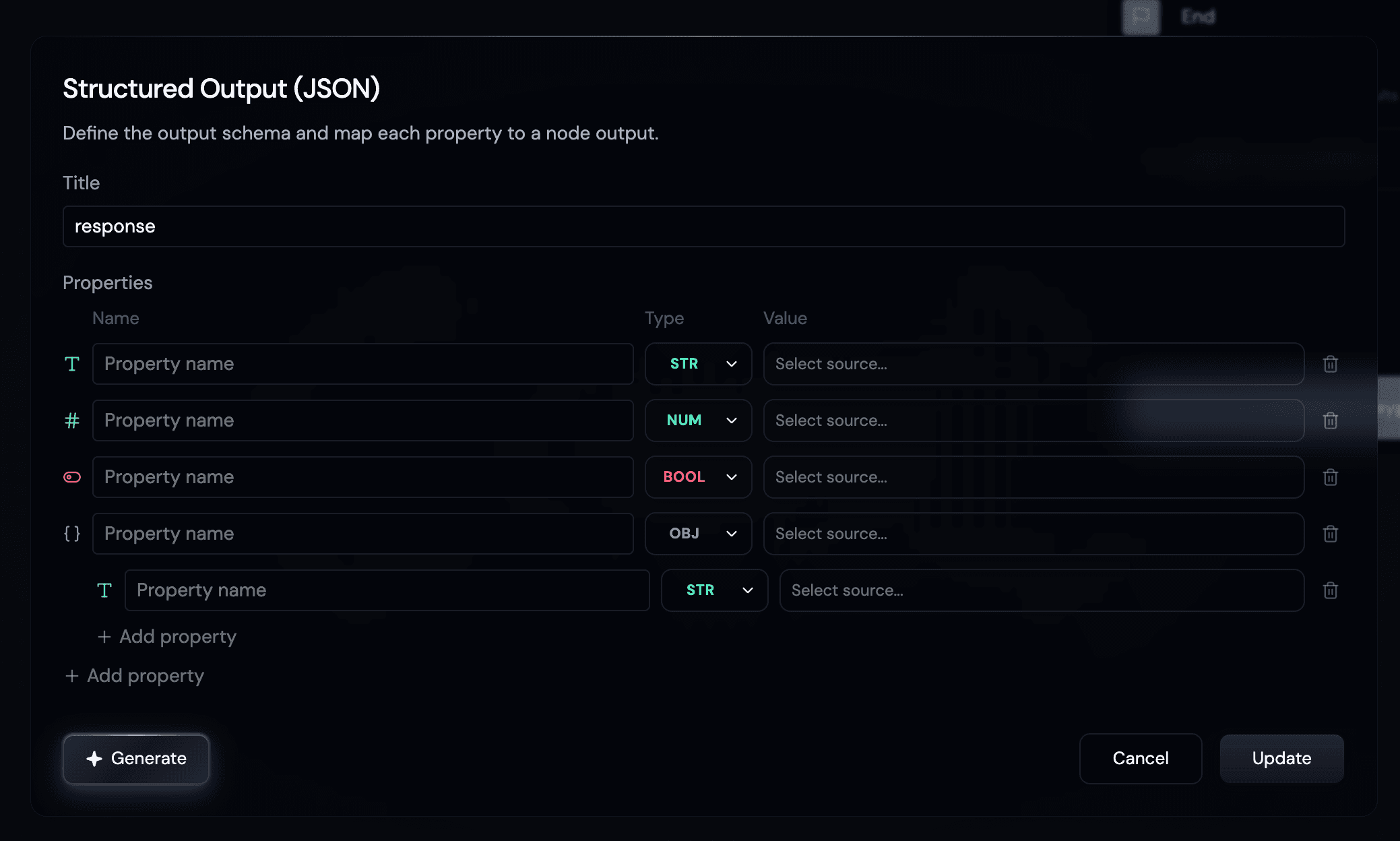
- Enable Structured Output (optional): Set the Output Format to JSON to assign property names to upstream node outputs, combine outputs from multiple nodes, and define a structured JSON response.
Output Format
The End Node supports two output format options for the final response:
- Raw: Returns the selected node's output as-is without any processing.
- JSON: Define a schema to structure the final API response.
When you select JSON, the structured output schema definition dialog opens.
Value Selection
Each property requires a Value (source) to be selected from connected upstream nodes.
- Upstream nodes are grouped by type in the list
- If a node has structured output defined, you can select the entire object or individual properties
Connection Rules
When connecting nodes to the End Node:
- The End Node itself cannot be selected as a source
- Nodes already connected cannot be selected again
- Nodes without an output cannot be connected
Input of the End Node
The End Node has a single input that receives data from connected upstream nodes. The connected data is then presented as the final output of your app.
Visual Appearance
Both Start and End Nodes share a distinctive capsule-shaped design that sets them apart from other nodes:
- Start Node: Has an output handle on the right side for connecting to downstream nodes
- End Node: Has an input handle on the left side for receiving data from upstream nodes
- Both display their respective icons and names ("Start" and "End" by default)
Connection Status Indicator
When the Start Node is properly connected to the End Node through the workflow:
- Both nodes display with full opacity
- The "Try App in Playground" button becomes enabled
When there's no valid path from Start to End:
- Both nodes appear slightly faded with dashed borders
- The "Try App in Playground" button is disabled
How They Work Together
- User Input: When someone runs your app, they fill in the parameters defined in the Start Node.
- Data Flow: Input values flow from the Start Node through connected nodes.
- Processing: Data is processed by various nodes (text, file, query, action nodes, etc.).
- Collection: Processed results are collected by the End Node.
- Output: The End Node presents the final output to the user.
Connection Requirement
For your app to be runnable, there must be a valid path from the Start Node to the End Node. The system verifies this connection using a breadth-first search algorithm. Without a valid path, your app cannot be executed in the Playground.
Start & End Nodes vs. Other Nodes
| Feature | Start & End Nodes | Other Nodes |
|---|---|---|
| Instances per workflow | Exactly one each | Multiple allowed |
| Can be duplicated | No | Yes |
| Visual style | Capsule-shaped | Card-shaped |
| Purpose | Workflow boundaries | Data processing |
| Created automatically | Yes, as a pair | No |
Start and End Nodes are essential for creating functional apps that accept user input and deliver processed results.